
Avoid double bookings: link your calendars in 3 steps.
Works with Airbnb, Booking.com and any iCal calendar
You’ll need your Airbnb or Booking.com calendar link (iCal)
- 1
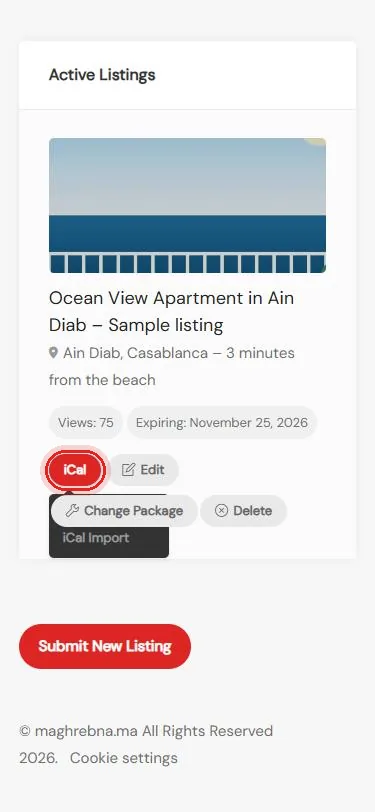
Open iCal
My Listings → iCal
- 2
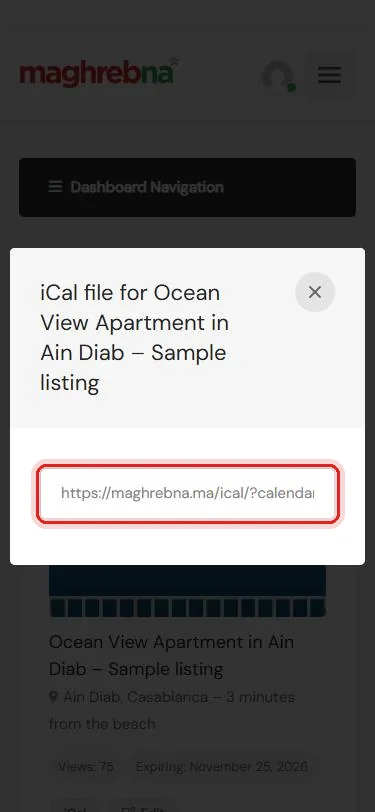
Copy your link
iCal Export → paste it in Airbnb or Booking.com
- 3
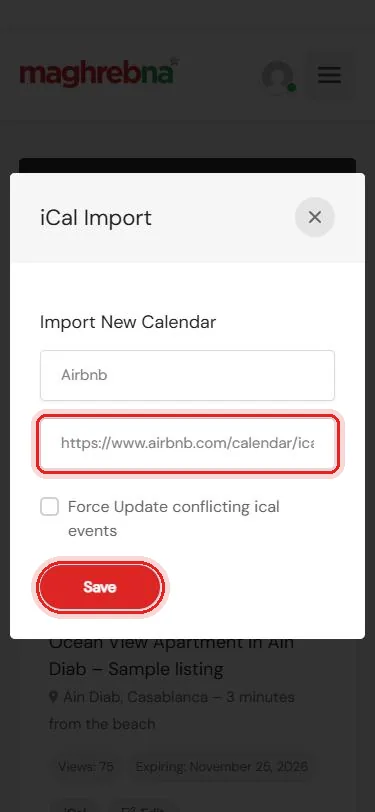
Add their link
iCal Import → paste their link → Save
Need help linking your calendars? We’re happy to help.
Questions
Where do I find my Airbnb or Booking.com link?
In their calendar settings, look for “Export calendar” or “Sync calendars”. Copy the link that ends in .ics.
Is the sync instant?
No. Calendars refresh every few hours. For a last-minute booking, also block the day by hand.
Do I do this for each listing?
Yes. Each listing has its own calendar link.