
Share your stay and help other travellers.
Leave a review in 3 simple steps · Takes about a minute
You need to be logged in with your guest account
- 1

Rate your stay
Open the listing → Add Review, then pick the stars
- 2
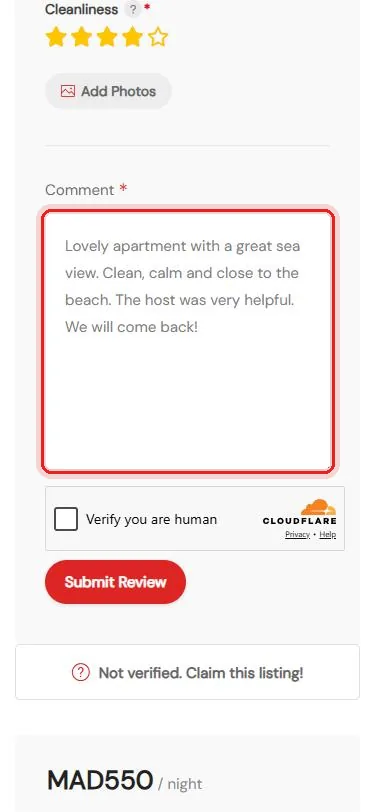
Write a few words
A short, honest comment about your stay
- 3
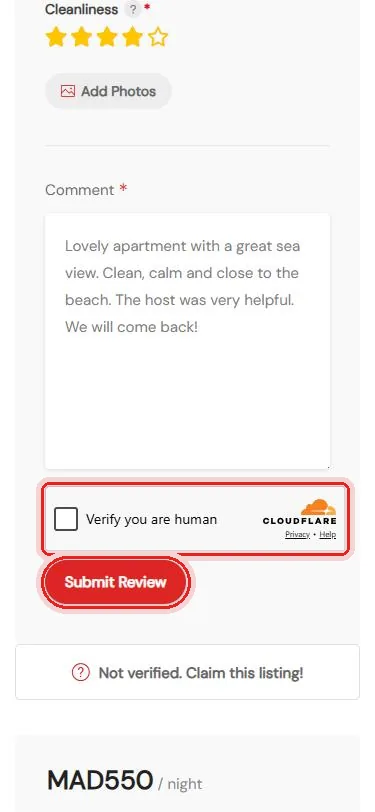
Submit
Tick Verify you are human, then Submit Review
Questions about reviews? We’re happy to help.
Questions
When does my review appear?
Your first review is checked by our team before it appears. After that, your reviews appear straight away.
Can I add photos?
Yes. Tap Add Photos under the stars.
What makes a helpful review?
Be honest and specific: the cleanliness, the location, the welcome, and anything future guests should know.