
Got a booking request? Handle it in 3 simple steps.
You decide · Guests pay you directly · 0% commission
Find it any time in Dashboard → Bookings
Watch it in 50 seconds
Video in Moroccan Darija
- 1
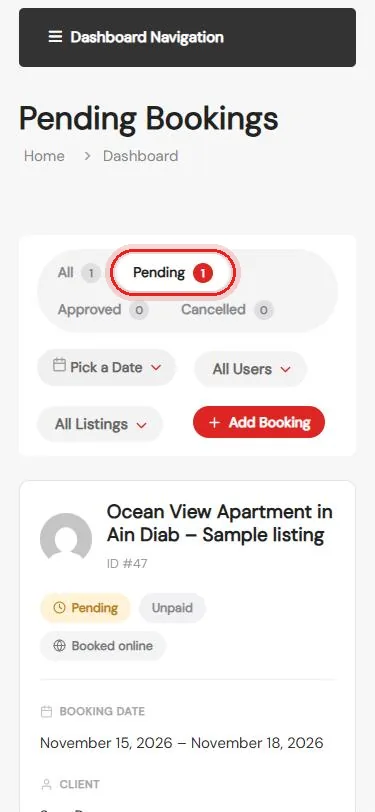
A request arrives
You get an email, and it waits in Bookings → Pending
- 2
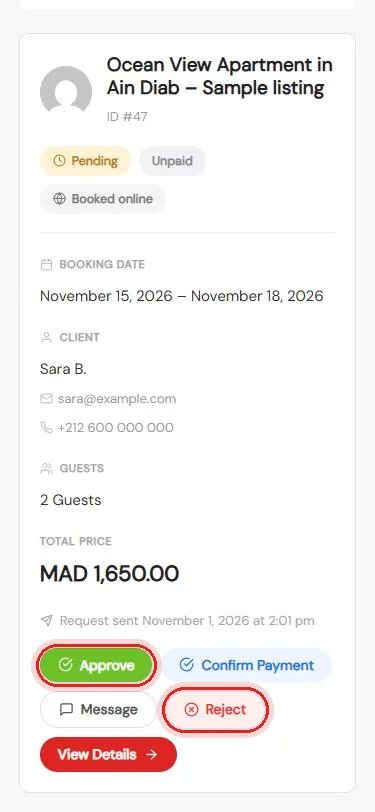
Check and decide
Dates, guests, price, then Approve or Reject
- 3
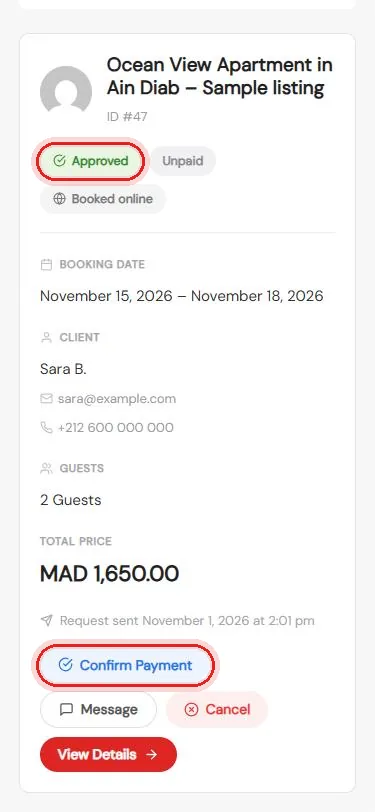
Welcome your guest
They pay you on arrival, then tap Confirm Payment
Questions about a booking? We’re happy to help.
Questions
Can I ask the guest something first?
Yes. Tap Message on the request before you approve it.
What if I can’t host on those dates?
Tap Reject. You can send the guest a short message to explain.
How do I get paid?
The guest pays you directly, usually on arrival. Maghrebna takes no commission.
What does Confirm Payment do?
It marks the booking as paid, so your list stays up to date.