
Booked by phone or WhatsApp? Add it in 3 steps.
Closes the dates · All your bookings in one place
Find it any time in Dashboard → Bookings
- 1
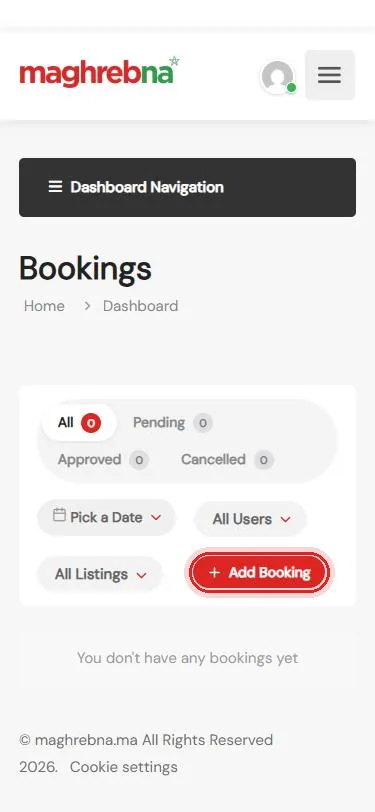
Tap Add Booking
Dashboard → Bookings → Add Booking
- 2
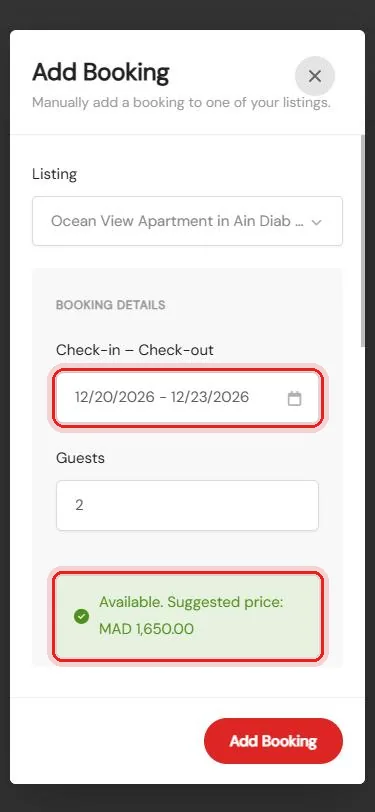
Pick the dates
Listing, dates and guests: it checks they are free
- 3
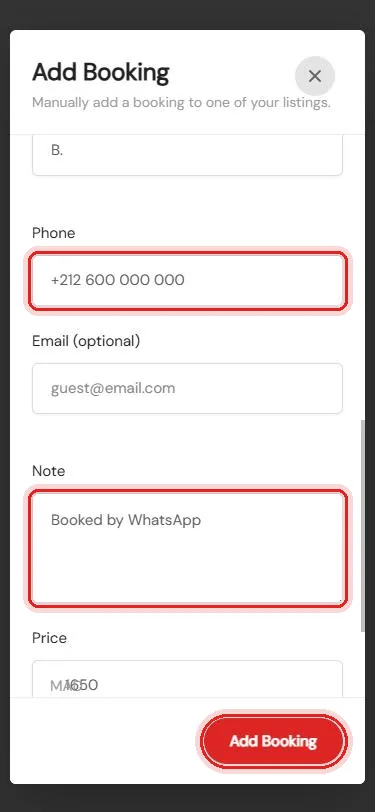
Add the guest
Name, phone and a note, then Add Booking
Questions about your bookings? We’re happy to help.
Questions
Can I mark it as paid?
Yes. Under Status, choose “Approved and paid”, or “Approved (unpaid)” if the guest pays on arrival.
What if the dates are taken?
The form checks the dates before you add the booking, so you see it straight away.
Can I cancel it later?
Yes. Open Dashboard → Bookings and cancel it like any other booking.