
Change your prices or close dates in 4 simple steps.
Update any time · Changes go live right away
Find it any time in Dashboard → My Listings
- 1
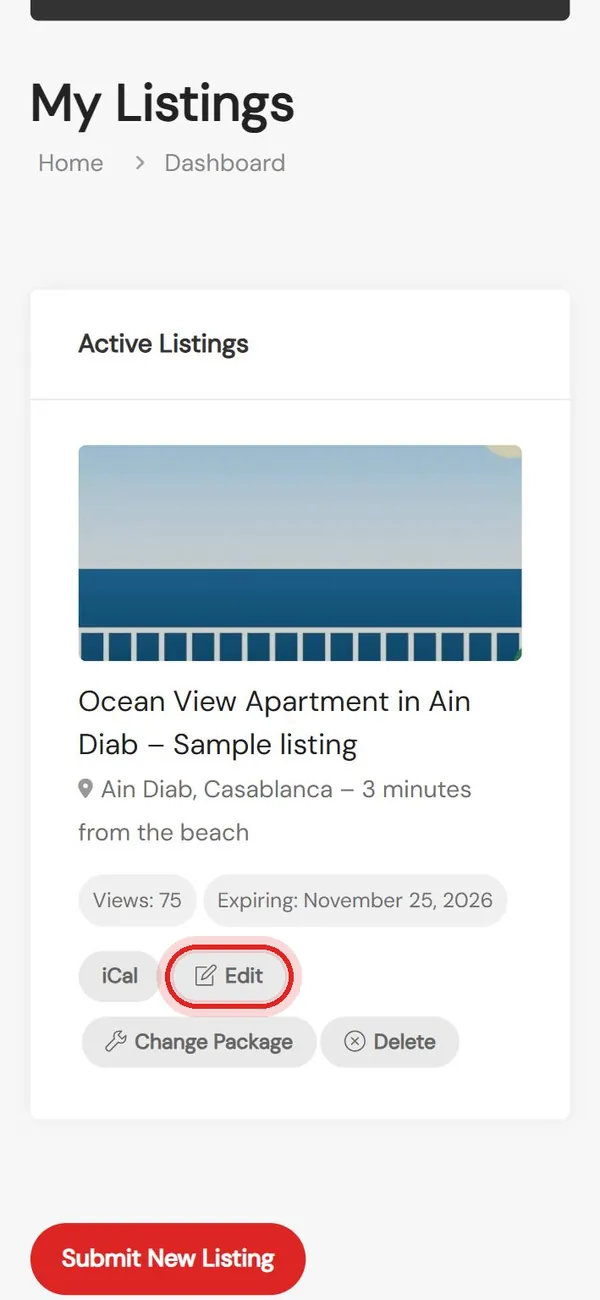
Open your listing
My Listings → Edit
- 2
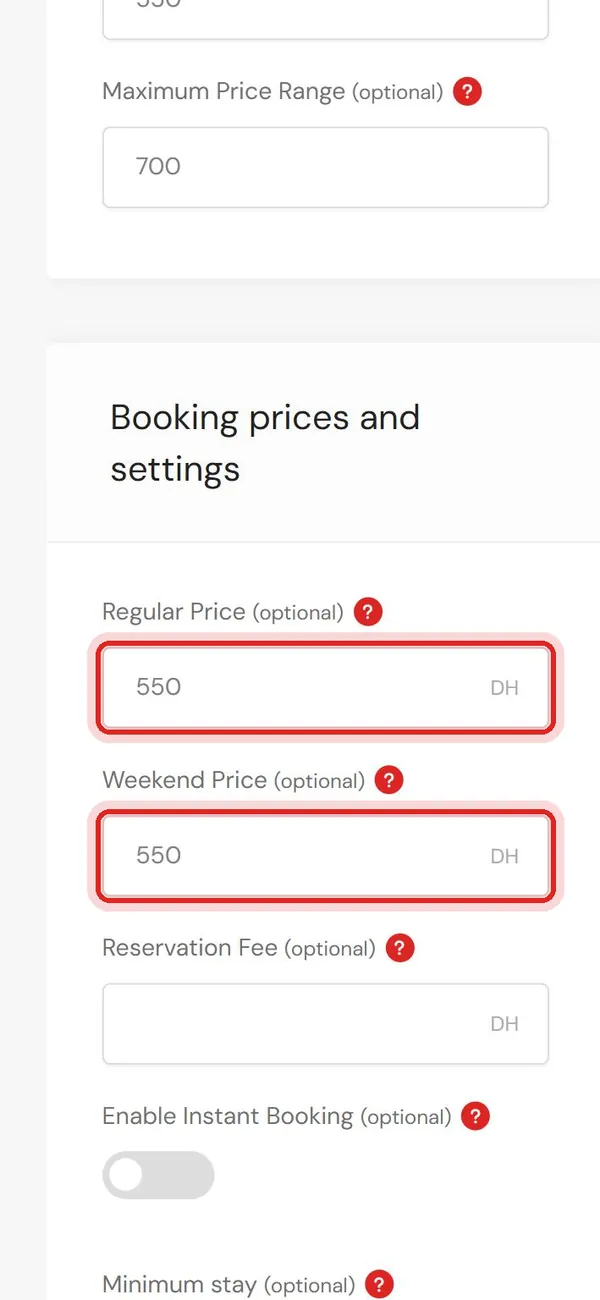
Change your prices
Regular and weekend price per night
- 3
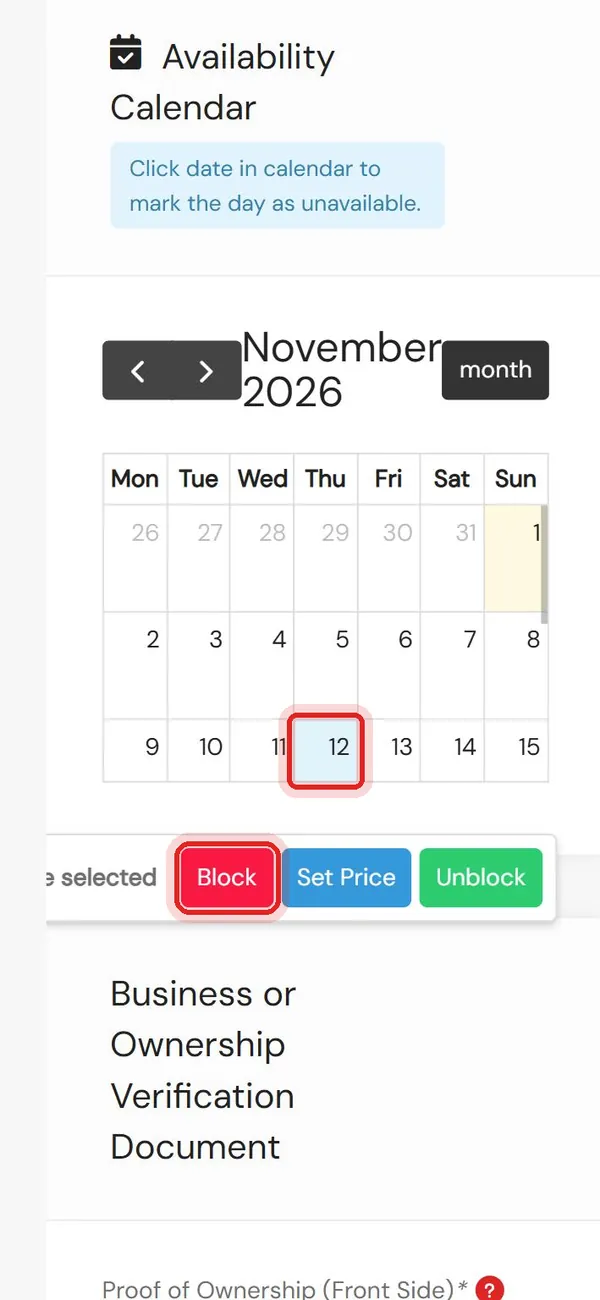
Close dates
Tap a day in the calendar, then Block
- 4
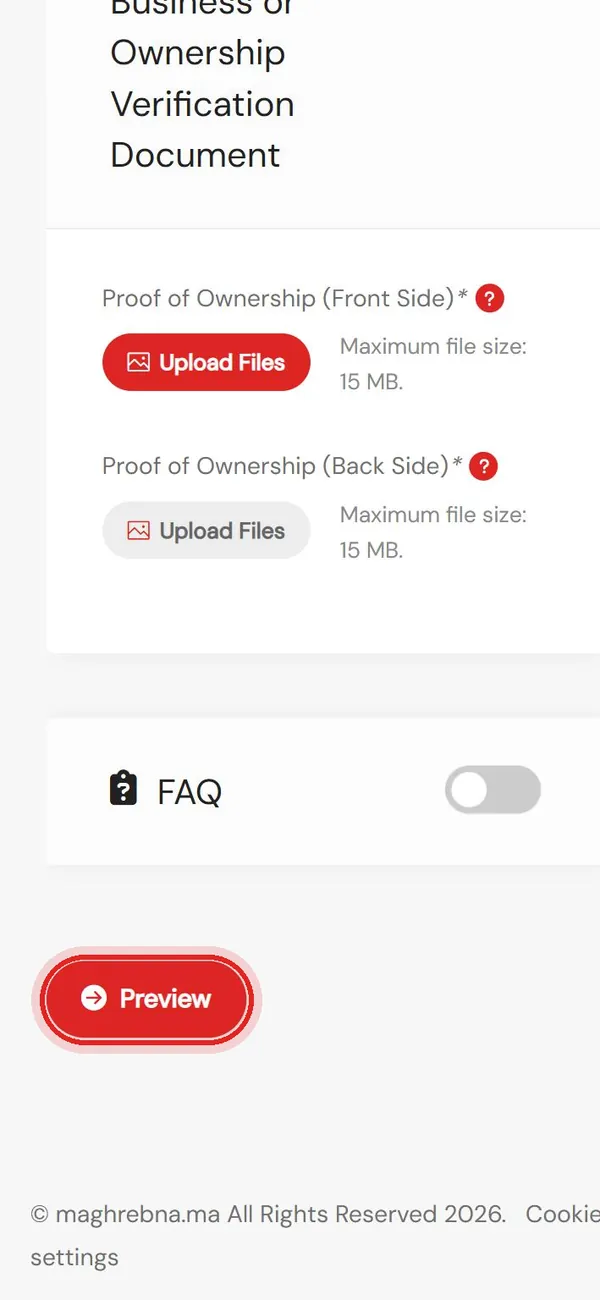
Save
Tap Preview, then Save Changes
Need a hand with your listing? We’re happy to help.
Questions
When do my changes show?
Right away, as soon as you tap Save Changes.
How do I open a date again?
Tap the day in the calendar, then Unblock.
Can I set a special price for one day?
Yes. Tap the day in the calendar, then Set Price.
Can I change my photos and description too?
Yes. Everything in the form can be changed the same way.